Homework help
Explained step by step, at the level your child needs.
Free · iPhone app (beta) · Hemmia at home on a Mac or with Docker
Hemmia is a private AI for the whole family. It runs on a computer in your house, or simply on your phone, with the AI models you choose. Everyone gets their own account and their own chats.
iPhone app coming soon
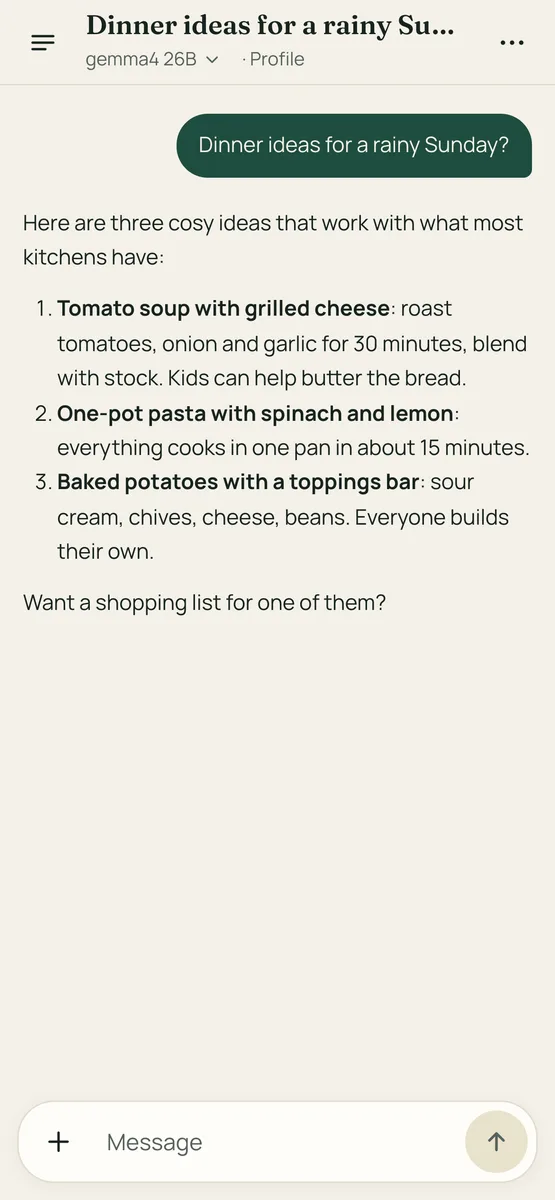
Everyday questions, from homework to dinner, for everyone in the house.
Explained step by step, at the level your child needs.
Take a photo of what’s there and get three ideas.
Add a PDF from the tax office or the school and get it in plain words.
Weekly goals for school, work and home, and a short brief each morning.
Describe a picture and Hemmia draws it, on a Mac at home.
Start on your phone in two minutes, or set Hemmia up at home for the whole family. You can move from one to the other later.
Install the app, add your own key from Anthropic or OpenAI, and start chatting. Your chats and your key are stored on the phone.
You pay the provider for what you use, a few cents a day for most people. No markup.
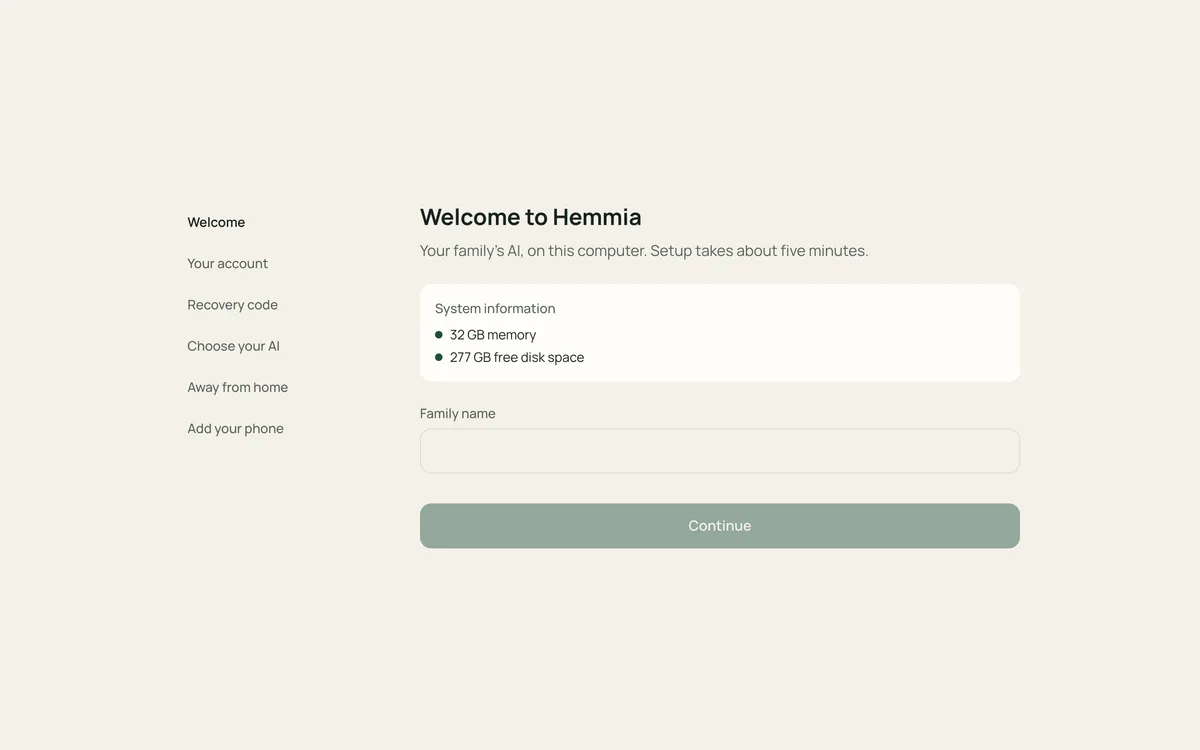
Hemmia runs on a computer in your house, the hub. It can use AI models that run on that computer, and everyone in the family gets their own account on every device.
Free. Models on the hub cost only electricity; cloud models are optional, with your own key.
Hemmia is built around a household, not around one person at a desk.
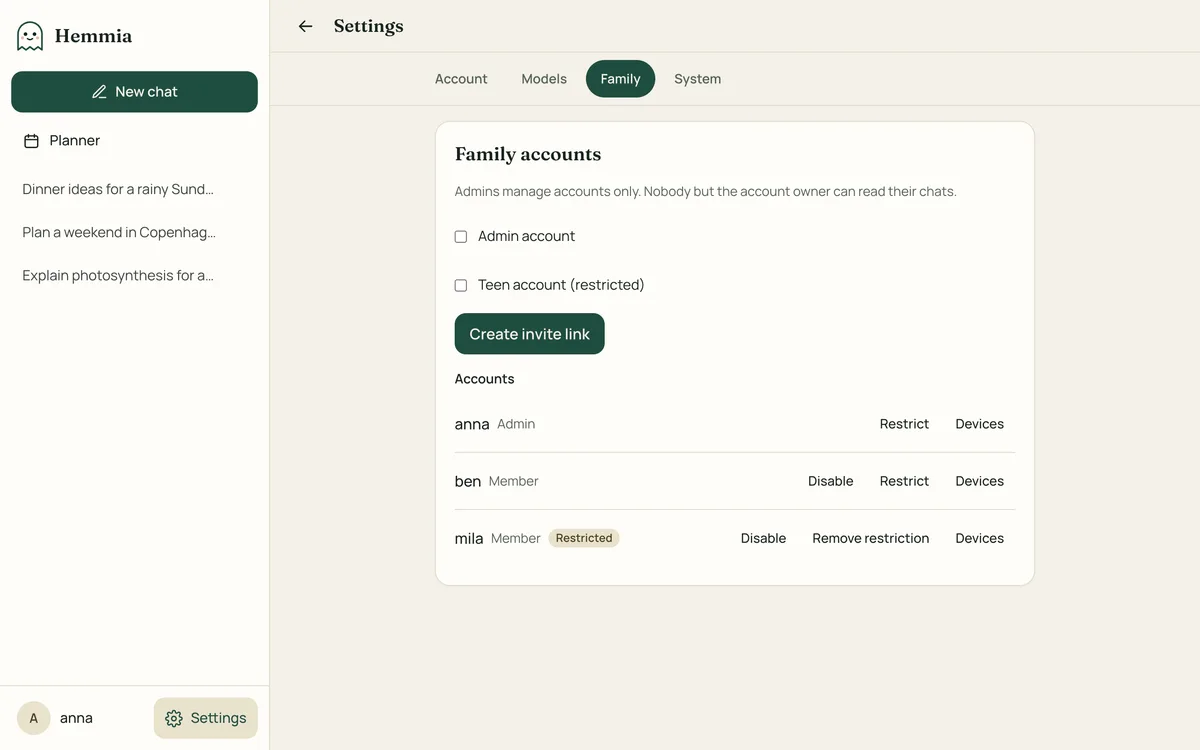
Most AI apps are built for one person and keep every conversation on their servers. Hemmia does it differently.
| Topic | Many AI apps | Hemmia |
|---|---|---|
| Where your chats are stored | On the company’s servers | On your hub or your phone, encrypted |
| Who can read them | The company, under its own rules | You. A cloud provider only for chats where you pick its model |
| Account needed | Yes, with email and often a phone number | No account with us |
| Ads and tracking | Common | None |
| A family of four | A paid plan per person for the best models | Free with local models, or one shared key |
| Choice of AI | The company’s own models | Local models, Anthropic or OpenAI |
| Accounts for children | Set up by the company, under its rules | Teen accounts with limits you set |
No fine print
“Private” is easy to claim. Here is exactly what happens when you ask Hemmia something.
On your own hub or phone, encrypted. With models on your hub, nothing leaves the house.
Each person’s chats are locked with their own passphrase.
You never sign up with us to use Hemmia.
No analytics in the apps or on this website.
Models on your own computer, or Anthropic and OpenAI with your key.
Local models are slower and less capable than the best cloud models. We say so.
Hemmia is free. You pay only for what you choose to add.
Free
The apps and the hub. Models on your hub cost only electricity.
At the provider’s prices
Optional, with your own key. A few cents a day for most people; set a spending limit at the provider. Hemmia also stops at a monthly limit per person.
Free in the beta
then €29 a year per hub
Optional: your phones reach the hub with one switch, at home and away, up to 20 GB a month. Free during the beta, then 30 days free. Or set up Tailscale yourself, for free.
No. They are stored on your hub or your phone, encrypted. When you choose a cloud model, Hemmia asks first and the chat goes to that provider with your own key.
A Mac with Apple silicon (M1 or newer, 16 GB of memory or more for good local models), or any computer that runs Docker. On your phone alone you need no computer at all.
Good for everyday questions, homework, recipes and letters; slower and less capable than the best cloud models. You can use both and choose per chat.
Yes, with a teen account you create for them: they see only the models you allow and can’t create pictures. Their chats are private to them, like everyone else’s.
You get a recovery code when you create your account. With it you can set a new passphrase. Without it, nobody can open your chats again, not even an admin.
Planned, without dates: the Android app, and spaces the family shares.
Hemmia is in beta. Hemmia at home is free, as an installer for your Mac or with Docker; you use it in the browser and in the iPhone app, which is in testing now.
Get started